Huawei AI Glasses Update Adds Parking Lot QR Payment and Head Gesture Payment
Topics and contents
Topic
On this page
Huawei AI Glasses have added Alipay QR code payment for parking lots and head gesture-controlled payment, along with a 5-minute continuous recording option. Parking payment requires binding a license plate in the Look feature of the Huawei Eyewear app, while head gesture payment must be enabled in settings; the connected phone must run HarmonyOS 7.0 or later. The update also improves head gesture call recognition accuracy and optimizes battery life and system stability in some scenarios.
The setup paths for parking payment and head gesture payment, along with the phone system requirements, are explained, providing concrete grounds for judging the scope of everyday use for this glasses feature update.
Kuai Keji, October 22 - Huawei AI glasses have received a feature update, upgrading payment, video recording and interaction experiences.
The new version adds Alipay QR code payment for parking lots and head-motion payment control, while extending continuous video recording to 5 minutes and improving system stability, call control accuracy and battery life in some scenarios.

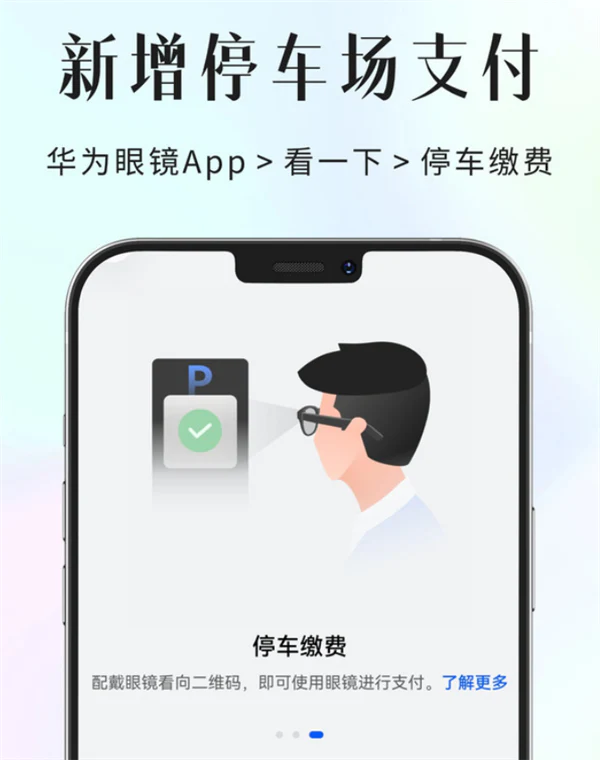
According to the company, the parking payment feature can be set up through the Huawei Eyewear App. Users open the parking payment page within the Look feature, complete license plate binding as prompted, then wear the glasses and look at the parking lot payment QR code to complete the payment with the glasses. This feature further expands the use cases for QR code payments with the glasses.
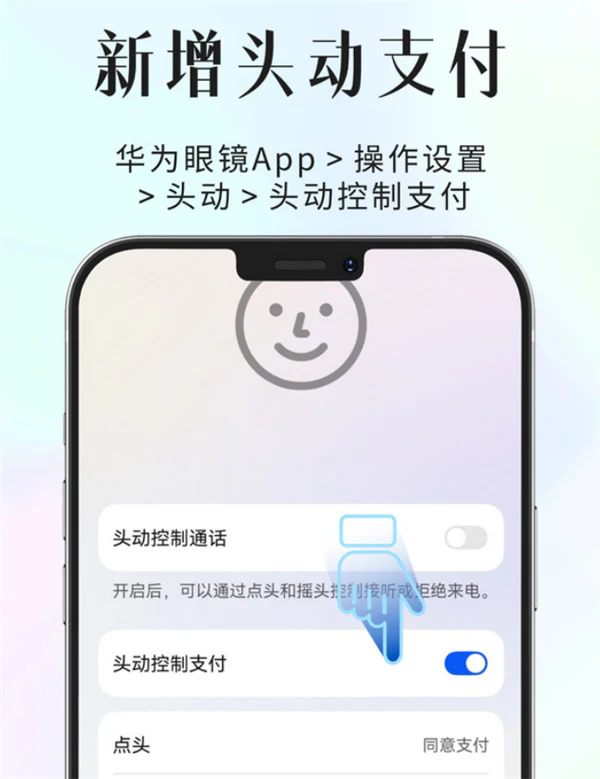
This update also adds a head-movement control payment option under Operation Settings. Users can open the head movement settings page to enable the feature and complete payments using head movements.
Note that when using this feature, the phone connected to the glasses must be upgraded to HarmonyOS 7.0 or later. The new version also improves recognition accuracy for head-motion call control.
For video recording, the Huawei Eyewear App's camera settings now include a 5-minute continuous recording option. Users can set this on the video recording duration page, with options including 15 seconds, 30 seconds, 1 minute, 3 minutes, 5 minutes and 5-minute continuous recording to suit different recording needs.
In addition to the features above, this update also improves battery life and system stability in some usage scenarios. Users can check the version and complete the upgrade through the Huawei Eyewear App.
By Lujiao; Source: Kuai Keji
Original title : Huawei AI Glasses Feature Upgrade: Supports QR Code Payment in Parking Lots and Head-Motion Payment Control
Source: OFweek Optics Network · News · optics.ofweek.com